Microscope for Phone Repair: A Practical Comparison (2026 Buyer's Guide)
A phone motherboard today is a dense city of components measured in fractions of a millimeter. BGA solder balls sit at 0.3 mm pitch, circuit traces run thinner than a human hair, and a single cold joint can kill a whole board. If you are still relying on a naked eye or a cheap loupe, you are guessing — and guessing is how boards get ruined.
The good news: a capable repair microscope is one of the highest-return investments a phone repair shop can make. The tricky part is choosing the right type, because the market mixes three very different tools under the same word "microscope." This guide compares them side by side so you can match the tool to your actual workflow — without wasting budget on features you don't need, or skipping features you can't work without.
Why Magnification Is Non-Negotiable in Modern Repair
Human eyes resolve detail down to roughly 0.2 mm under ideal conditions — and that resolution collapses the moment you add hand shake, poor lighting, or fatigue. On a modern logic board you routinely need to:
- Inspect BGA solder joints at 0.3–0.4 mm pitch to confirm a clean reflow
- Trace a hairline crack in a flex connector or PCB trace
- Place and verify micro-components (01005 resistors, small ICs)
- Judge solder wetting and bridge formation under magnification
In practice, most board-level work happens between 10X and 90X. Below 10X you barely beat the naked eye; above 90X the working distance gets so short that your tools no longer fit, and the image gets shaky. The sweet spot for phone micro-soldering is a continuous zoom that covers roughly 7X–90X, letting you drop to low power to position tools and zoom in to verify the joint.
The Three Microscope Setups You'll Actually Choose Between
When shops say "I need a microscope," they usually mean one of three very different tools. Understanding the difference is the whole game.
1. Handheld Digital USB Microscope
A pocket-sized camera on a flexible stalk that plugs into a computer or phone screen. Magnification is often quoted very high (claims of 1000X are common), but the useful range is narrow and the optics are rarely calibrated.
Strengths: cheap, portable, instant on-screen view, easy to share a screenshot. Weaknesses: no true stereo (single camera = flat image, poor depth judgment), unstable stand, hard to keep both hands free for soldering, and the high advertised numbers are digital zoom, not optical.
Best for: quick visual checks, showing a customer a photo, or hobby inspection — not for precision soldering.
2. Trinocular Stereo Zoom Microscope
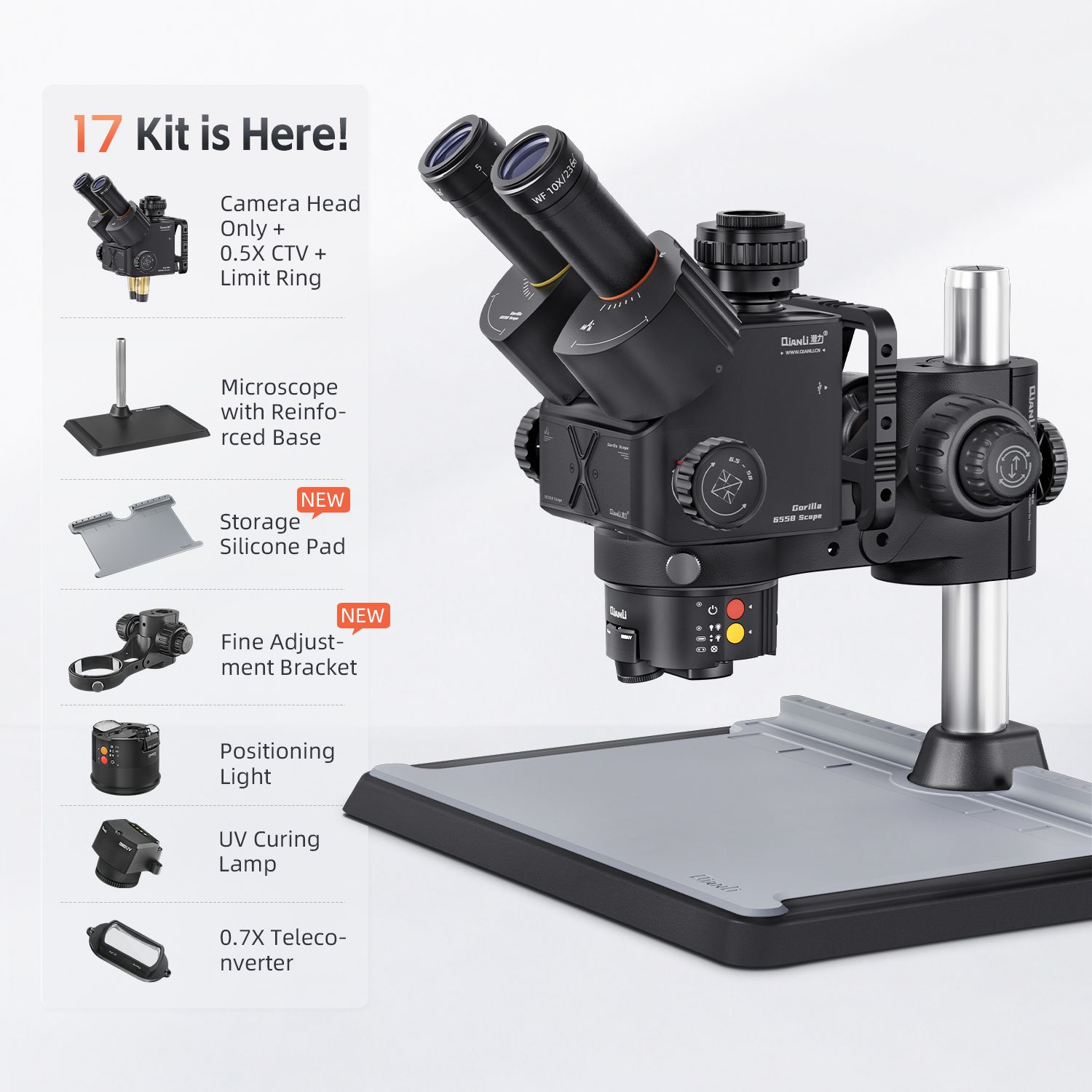
A proper binocular stereo head on a rigid arm, with a third (trinocular) port reserved for a camera. Two optical paths give true stereo vision, so you judge depth the way your eyes expect. Continuous zoom lets you work the full 7X–90X window.
Strengths: true stereo depth, rock-stable stand, both hands free for tweezers and iron, a camera port for documentation, and an LED ring light that wraps the subject in even illumination. Weaknesses: larger footprint and higher cost than a USB toy — but it is the tool professionals actually solder under.
This is the category our QianLi 6558 Gorilla Trinocular Microscope sits in: 3.5X–90X continuous zoom, LED ring light, and a trinocular HD camera port built for BGA rework and trace inspection.
The category now has a second door: the YCS 6558S trinocular stereo microscope, the same 6558 optical ecosystem in YCS’s value line from Mr. Yang’s workshop. It covers 6.5X–58X continuous zoom through high-eyepoint wide-angle 10x23 eyepieces, and ships with the CTV 0.5x camera adapter and a limiter ring in the box. If most of your work sits below 60X, it delivers the same true-stereo soldering experience for less — see how the two compare in our Gorilla vs 6558S comparison.
3. 4K Industrial Inspection Camera System
Rather than looking through eyepieces, you view a live 4K feed on a monitor. Often used paired with a stereo microscope as the camera side of the trinocular port, or as a standalone inspection station.
Strengths: large shared screen (great for training a second person or recording QC), crisp 4K capture and streaming, zero eye strain from eyepieces. Weaknesses: you lose the direct stereo view unless it is mounted on a stereo head, and a big screen at high zoom can exaggerate hand shake if the stand isn't solid.
Our QianLi Gorilla 4K Industrial Camera is designed exactly for this — live 4K viewing, capture, and streaming of board-level work for teaching, QC documentation, and detailed BGA inspection.
Side-by-Side Comparison
| Factor | Handheld Digital USB | Trinocular Stereo Zoom | 4K Inspection Camera |
|---|---|---|---|
| Useful magnification | ~20X–200X (digital) | 7X–90X (true optical) | Depends on host lens |
| True stereo / depth | No (flat image) | Yes | Only if on a stereo head |
| Both hands free | Rarely | Yes | Yes (no eyepieces) |
| Stand stability | Poor (flexible stalk) | Excellent | Excellent (when mounted) |
| Image / video capture | Easy screenshot | Via trinocular port | Native 4K |
| Eye strain over long sessions | Moderate | Moderate (eyepieces) | Lowest |
| Best for | Quick checks, photos | Daily micro-soldering | Training, QC, records |
| Typical price tier | Budget | Professional | Professional add-on |
Three microscope setups compared
The pattern is clear: the trinocular stereo zoom is the daily driver for anyone actually soldering; the 4K camera is the upgrade that turns that same microscope into a documentation and training station; the handheld USB is a supplement, not a replacement.
How to Choose by Your Workflow
You're starting out or only inspect, not solder. A handheld digital USB microscope gets you on screen fast and cheaply. Just accept its limits: use it for photos and quick looks, not for placing BGA or judging solder wetting.
You run a daily micro-soldering bench. This is where a trinocular stereo zoom microscope pays for itself within weeks. Both hands stay free, the image is stable, and the LED ring light removes the shadows that cause missed bridges. The camera port means you can still grab a record shot when a job is tricky.
You train staff, do client QC, or sell documented repairs. Add a 4K inspection camera on the trinocular port. A large live feed lets a trainee watch your hands in real time, and recorded clips become your QC proof and marketing content — without tying up your own eyepieces.
For a complete micro-soldering cell, pair the microscope with a steady integrated desoldering platform and a thermal imager for short-circuit hunting — the three together cover inspection, rework, and diagnosis.
What to Verify Before You Buy
- Optical zoom range, not digital zoom. Ignore inflated "2000X" claims; what matters is the true optical window (aim for ~7X–90X continuous).
- Working distance. The gap between the lens and the board. Too short and your iron won't fit; ~100 mm+ lets tools in comfortably.
- Illumination. An LED ring light beats a single bulb — even, shadow-free light is what reveals a cold joint.
- Trinocular port. If you ever want records or training, the third port is the feature you'll wish you hadn't skipped.
- Stand rigidity. A wobbly arm defeats the purpose; mass and a solid post matter more than the headline magnification.
FAQ — Microscope for Phone Repair
Q: What magnification do I need for phone motherboard repair?
Most board-level work sits between 10X and 90X. A continuous-zoom stereo head covering roughly 7X–90X lets you drop to low power to position tools and zoom in to verify fine BGA joints — that range is the practical sweet spot.
Q: Is a stereo microscope better than a digital USB microscope for micro-soldering?
For soldering, yes. A stereo head gives true depth perception and keeps both hands free on a stable stand, while a handheld USB camera is flat, shaky, and hard to solder under. Use the USB type for quick checks and photos, not for placement or reflow verification.
Q: Do I need a camera port / 4K camera?
Not for the soldering itself — but a trinocular port (and a 4K camera on it) pays off the moment you train staff, record QC, or share proof with a client. It turns one microscope into a documentation station without changing your workflow.
Q: What is working distance and why does it matter?
It is the space between the lens and the board. Too little and your soldering iron or tweezers can't reach the work; aim for roughly 100 mm or more so tools fit comfortably while you watch.
Q: Can a microscope actually help with BGA rework?
Directly. At 30X–90X you can confirm each ball reflowed, spot bridges and tombstones, and verify underfill or reball alignment — checks that are impossible by eye and that prevent "fixed it but it still won't boot" comebacks.
Q: How do I reduce eye fatigue during long repair sessions?
Prefer a stable stereo head with good LED ring lighting, take regular focus breaks, and consider a 4K monitor setup so you're not locked to eyepieces all day. Proper illumination does more for comfort than a higher magnification number.
Q: What should I look for in the light source?
An LED ring light that surrounds the lens gives even, shadow-free illumination — far better than a single top bulb that casts shadows exactly where you're inspecting. Dimming control helps with shiny solder and dark boards alike.
Ready to Equip Your Bench?
The right microscope is the difference between guessing and knowing. For daily micro-soldering, start with the trinocular stereo zoom microscope; add the 4K inspection camera when you need training, QC, or recorded proof. Vexagoo is an authorized distributor of QianLi and YCS professional repair equipment, with factory-direct wholesale pricing for both sample and bulk orders. Contact us on WhatsApp for a quote, or reach out through our contact page.
Tools Mentioned in This Guide
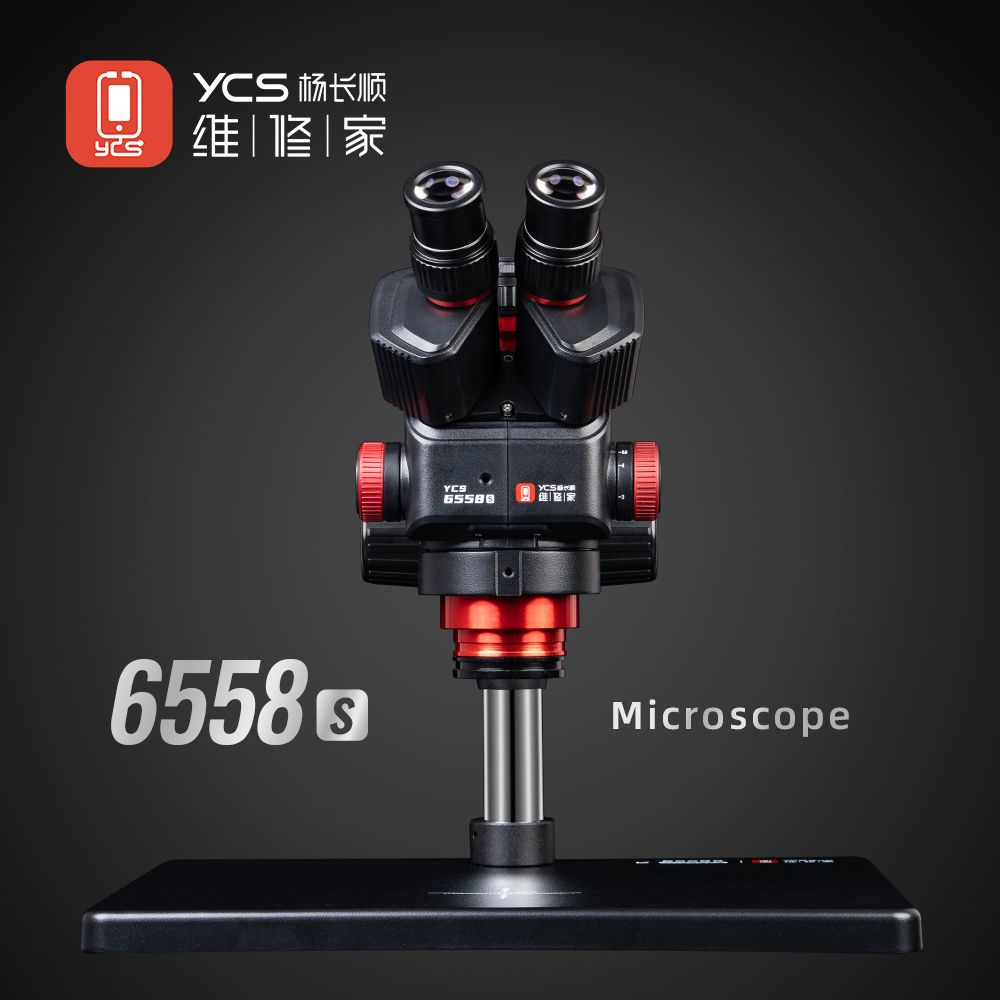
YCS 6558S Trinocular Microscope
The YCS 6558S is a trinocular stereo microscope for phone repair with 0.65x-5.8x zoom optics — 6.5x to 58x total magnification through high-eyepoint wide-angle 10x23 eyepieces — plus a CTV 0.5x camera port for live display and photo documentation, an adjustable LED ring light, and a collision-protection limiter. A YCS microscope from Mr. Yang's YCS repair tool line, ready for motherboard-level BGA and micro-soldering work.
View Details →QianLi 6558 Gorilla Microscope
The QianLi 6558 Gorilla is a trinocular stereo microscope with 3.5X-90X continuous zoom, LED ring light, and an HD camera port for documentation. The standard choice for BGA rework, trace inspection, and micro-soldering on phone motherboards.
View Details →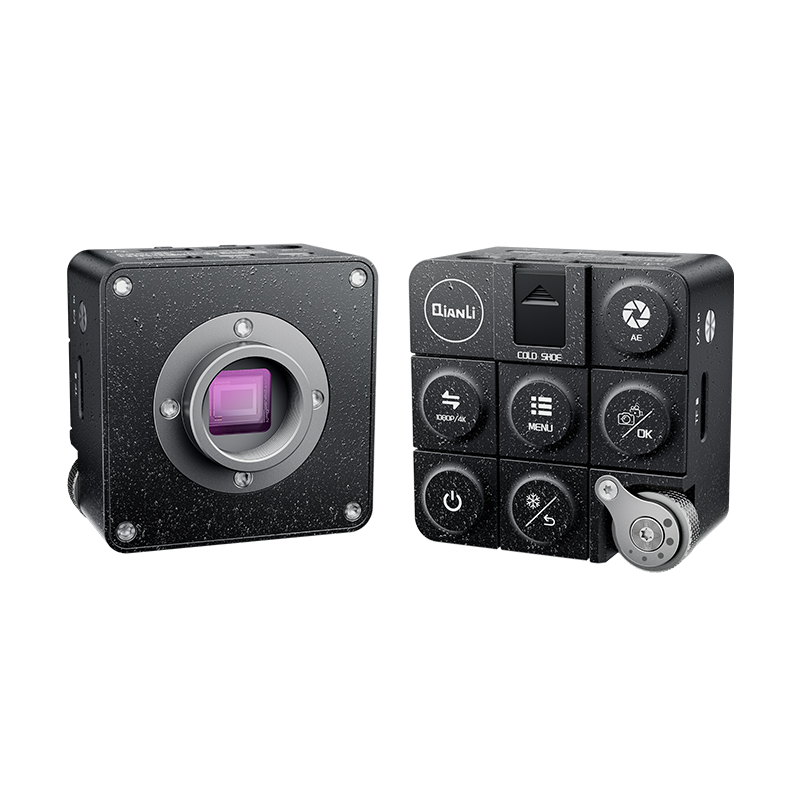
QianLi Gorilla 4K Camera
The QianLi Gorilla 4K industrial camera captures board-level repair work in 3840×2160 at 60FPS, with simultaneous HDMI and Type-C 3.1 dual output, a Sony 1/1.8-inch 8MP CMOS sensor, CS-mount lens, and standalone controls for capture, freeze, and digital zoom — no PC required. Pairs with the 6558 Gorilla microscope for live 4K viewing, documentation, and streaming.
View Details →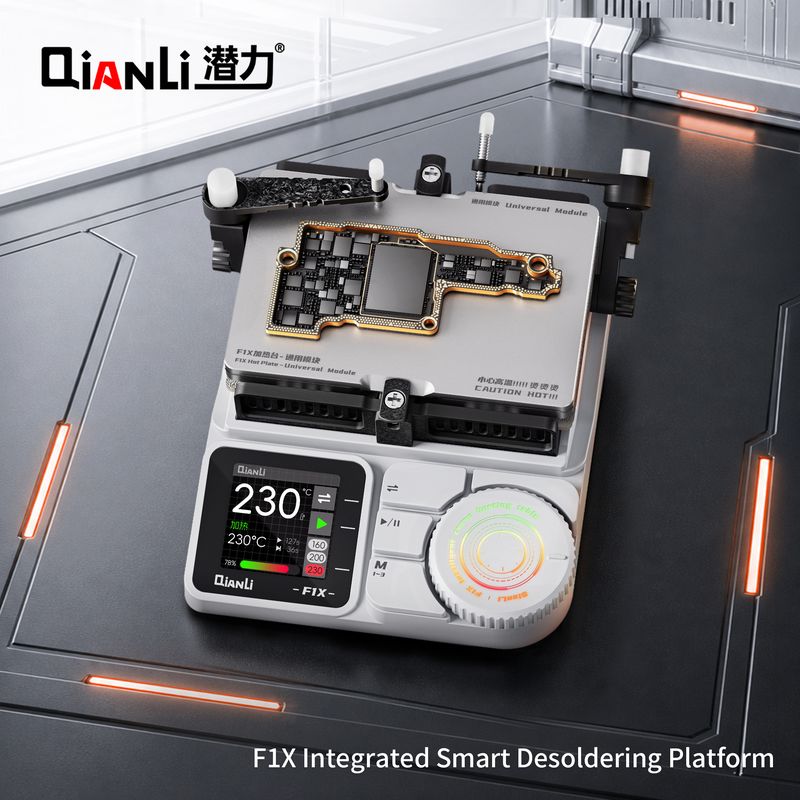
QianLi F1X Desoldering Platform
The QianLi F1X is an integrated smart desoldering platform combining hot air and soldering iron in one digitally controlled unit. Rapid heat-up, T12/T245 tips, and sleep mode make it the all-in-one rework station for BGA and motherboard repair.
View Details →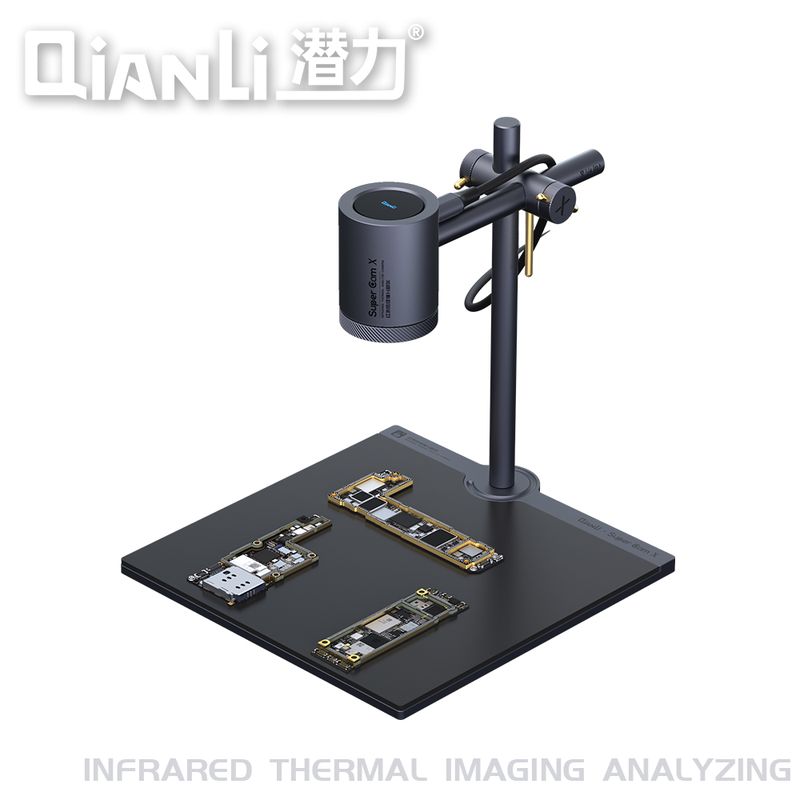
QianLi Super Cam X
The QianLi Super Cam X is a high-resolution thermal imaging camera for detailed motherboard analysis - finding shorts, overheating components, and corrosion with greater thermal detail. The professional choice for advanced board-repair labs and training centers.
View Details →