QianLi Tools New Arrival — Mega Idea BZ-CW01 Waveform Current Meter for Phone Repair
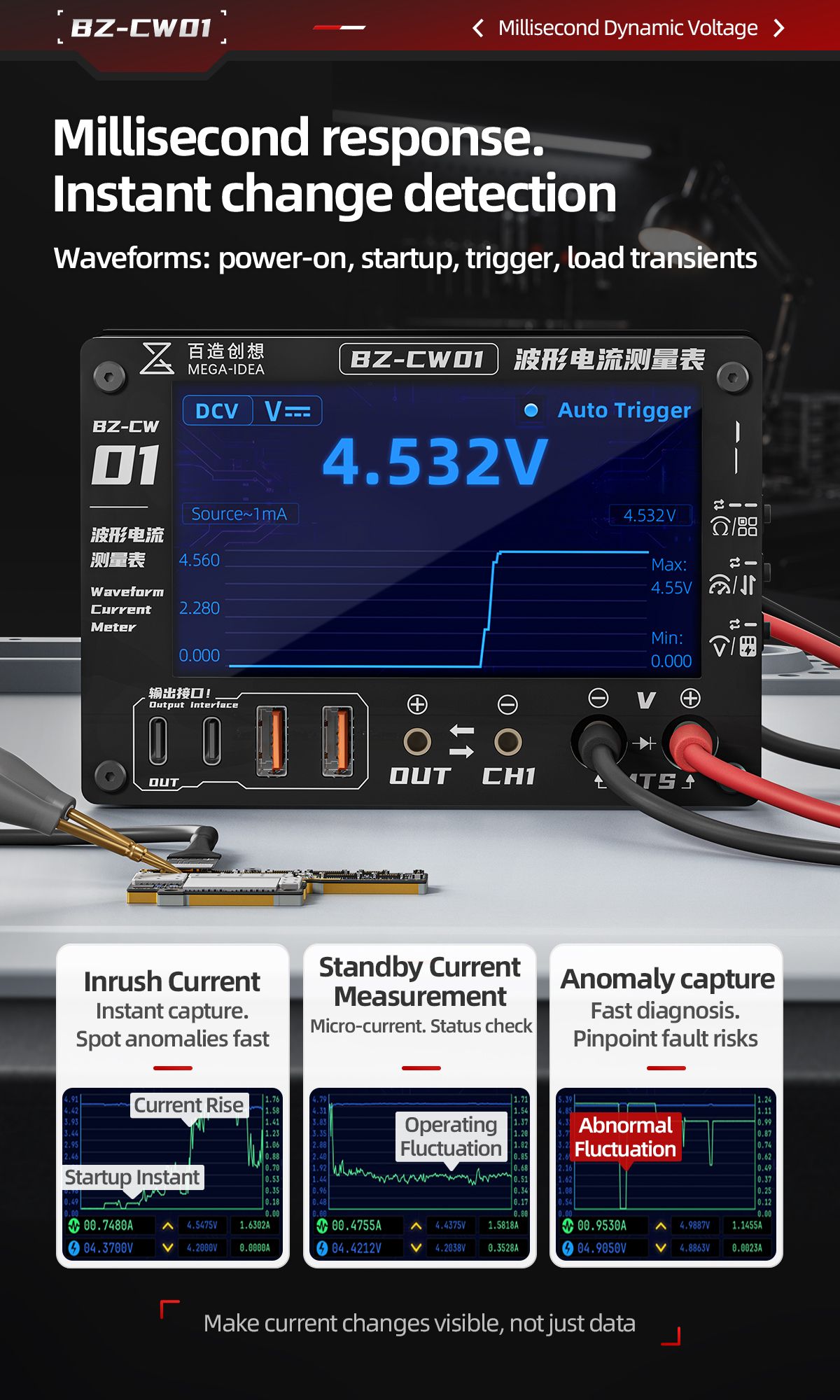
The Mega Idea BZ-CW01 Waveform Current Meter is the latest QianLi Tools new arrival for repair shops that want to see current, not just read it. Unlike a standard multimeter that shows one averaged number, the BZ-CW01 plots live current curves on a 4.3-inch color display — revealing inrush peaks, standby micro-fluctuations, and load transients that tell the real story behind boot failures, power drain, and motherboard shorts.
Why a Waveform Current Meter Changes Phone Repair Diagnostics
Traditional multimeters and clamp meters give you a snapshot. They average readings over time and hide the brief spikes and dips that often cause the actual fault. A waveform current meter captures the whole process: what happens in the first milliseconds when a device powers on, how current behaves in standby, and whether a load transient points to a failing power IC or leaky capacitor.
- See power-on inrush current instead of guessing from a dead boot symptom.
- Spot standby drain that drains batteries overnight without visible damage.
- Capture transient spikes when a failing component pulls extra current.
- Correlate waveform events with visible symptoms for faster diagnosis.
What the BZ-CW01 Can Actually See
The BZ-CW01 is built around three practical measurement jobs that repair technicians face every day:
- Inrush current capture — watch the startup pulse and catch abnormally high peaks before they damage the board.
- Standby micro-current measurement — detect the small but meaningful draw that indicates a shorted rail or leaky IC.
- Anomaly capture with auto trigger — let the meter stop on unusual fluctuations so you can examine them without staring at the screen.
Three Detection Modes Explained
Curve Mode
Curve Mode draws a live current waveform. Use it when you need trend clarity: watch the boot curve, see how current rises and settles, and identify the moment a fault appears.
Pointer Mode
Pointer Mode switches to an analog-style gauge for intuitive reading. It is the fastest way to monitor a stable current or show a customer that a device is drawing the expected amount of power.
Multimeter Mode
Multimeter Mode turns the BZ-CW01 into a standard multimeter for voltage, resistance, continuity, and diode tests — one device on the bench instead of two.
Ports, Outputs, and Buttons
The front panel is laid out for real repair work. Outputs include Type-C, USB-A, and banana jacks for flexible connections, plus dedicated multimeter jacks. A PC interface lets you log waveforms for reports or training. The side switches handle range, mode, display color, and the ammeter/multimeter toggle.
Who Should Buy the BZ-CW01
- Board-level repair technicians troubleshooting boot loops and power issues.
- Phone repair shops upgrading from a basic multimeter to waveform diagnostics.
- Training centers teaching current-based fault finding alongside thermal imaging.
- Any technician who wants to reduce guesswork and replace trial-and-error with data.
How It Compares to a Standard Multimeter
| Capability | BZ-CW01 Waveform Meter | Standard Multimeter |
|---|---|---|
| Real-time waveform | Yes — live current curve | No — numeric average only |
| Inrush current capture | Yes — millisecond response | Often missed or averaged |
| Standby micro-current | Yes — high-sensitivity range | Limited or invisible |
| Auto trigger on anomalies | Yes | No |
| Voltage / resistance / diode | Yes — Multimeter Mode | Yes |
| PC data logging | Yes | Rarely |
Waveform current meter vs standard multimeter
Pair It With Other QianLi Advanced Tools
Waveform diagnosis works best alongside thermal imaging. Use the FireEye Ultra or Super Cam X to find the hot spot, then confirm the electrical signature with the BZ-CW01. For rework, the F1X Desoldering Platform gives you the soldering and hot-air control to replace the part once you have located the fault.
Order the QianLi Tools New Arrival Today
The Mega Idea BZ-CW01 Waveform Current Meter is now available from Vexagoo, the authorized global distributor for QianLi Innovation (Mega Idea) and YCS. We ship worldwide, offer factory-direct wholesale pricing, and have no minimum order.
Get the BZ-CW01 Waveform Current Meter
Contact Vexagoo on WhatsApp or email for pricing, samples, and bulk orders. Be one of the first repair shops to adopt QianLi's newest diagnostic tool.
Q: What makes the BZ-CW01 a QianLi Tools new arrival?
The BZ-CW01 is the latest diagnostic release from Mega Idea by QianLi Innovation. It adds waveform current visualization to the QianLi advanced tool lineup, alongside thermal imagers, desoldering platforms, and test fixtures.
Q: Can the BZ-CW01 replace my multimeter?
It includes a full Multimeter Mode for voltage, resistance, continuity, and diode tests, so it can handle most everyday multimeter jobs. For waveform-specific diagnostics, it does what a standard multimeter cannot.
Q: Is the BZ-CW01 good for IP series motherboard repair?
Yes. The millisecond response and micro-current sensitivity are ideal for diagnosing boot current curves, power-on failures, and standby drain on IP series and Android motherboards.
Q: What are the three detection modes?
Curve Mode shows a live current waveform, Pointer Mode shows an analog-style gauge for quick reading, and Multimeter Mode provides standard voltage, resistance, continuity, and diode measurements.
Q: Do you offer wholesale pricing?
Yes. Vexagoo offers factory-direct wholesale pricing with no minimum order. Contact us on WhatsApp or email for distributor quotes and sample orders.
Tools Mentioned in This Guide
Mega Idea BZ-CW01 Waveform Current Meter
The Mega Idea BZ-CW01 Waveform Current Meter is a QianLi Tools new arrival that turns invisible current changes into visible waveforms. Its 4.3-inch color display captures real-time current curves, inrush peaks, standby micro-fluctuations, and load transients — making it the next diagnostic upgrade for phone motherboard and precision electronics repair.
View Details →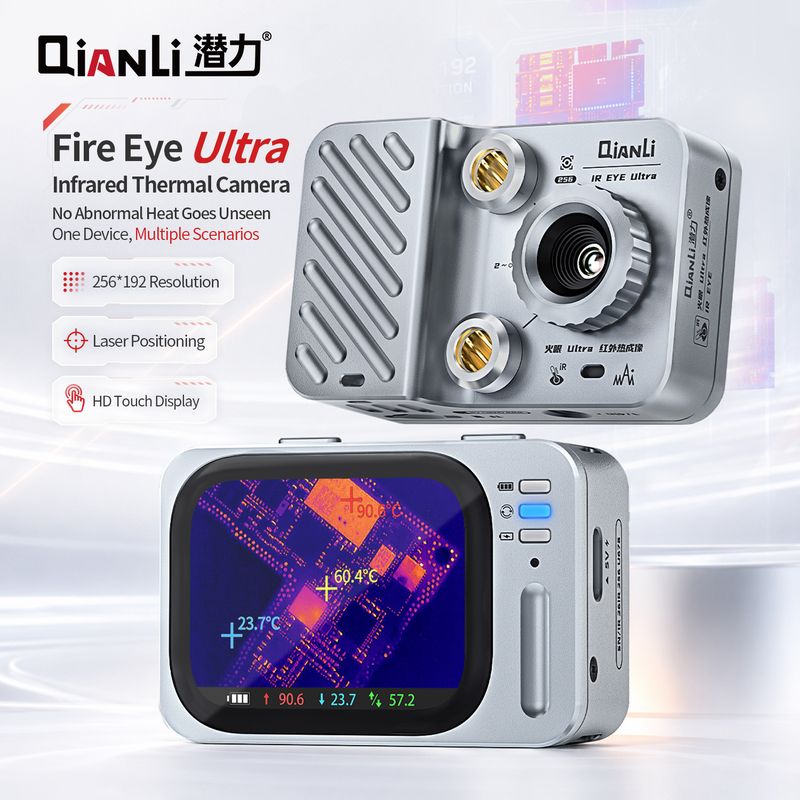
QianLi FireEye Ultra
The QianLi FireEye Ultra is a portable infrared thermal imager that finds short circuits, overheated ICs, and water-damage hotspots in seconds - no schematics needed. The fastest diagnostic tool for motherboard repair, compatible with IP series and Android boards.
View Details →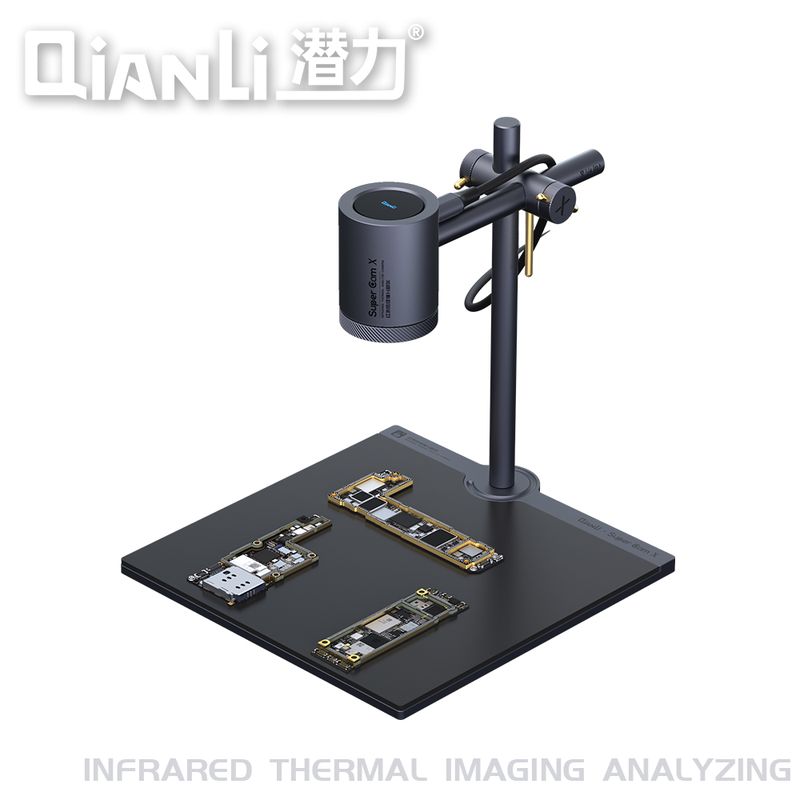
QianLi Super Cam X
The QianLi Super Cam X is a high-resolution thermal imaging camera for detailed motherboard analysis - finding shorts, overheating components, and corrosion with greater thermal detail. The professional choice for advanced board-repair labs and training centers.
View Details →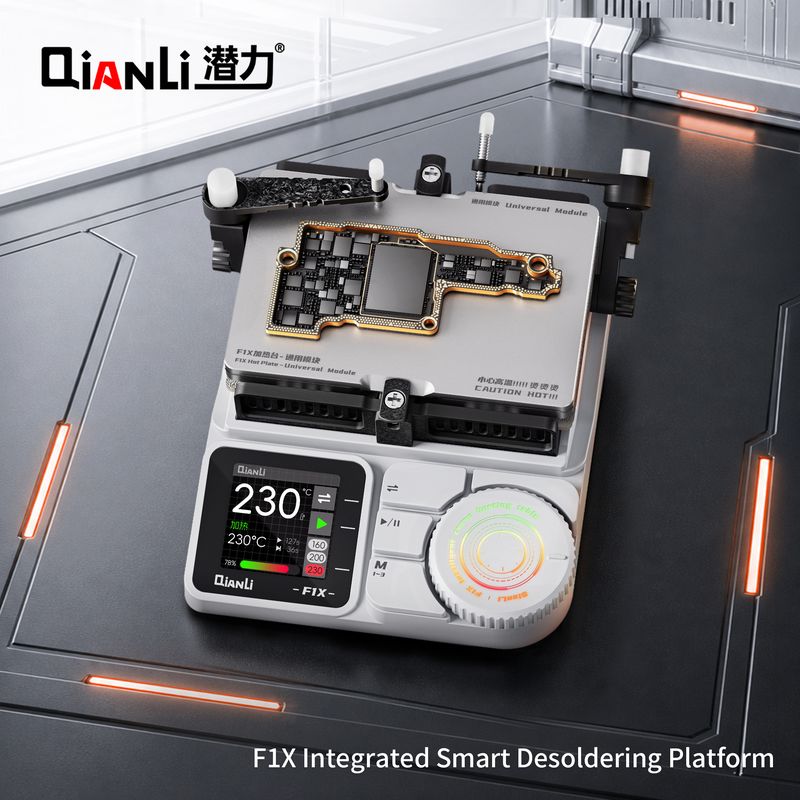
QianLi F1X Desoldering Platform
The QianLi F1X is an integrated smart desoldering platform combining hot air and soldering iron in one digitally controlled unit. Rapid heat-up, T12/T245 tips, and sleep mode make it the all-in-one rework station for BGA and motherboard repair.
View Details →