How to Use the QianLi LT2 DC Diagnosis Meter for Phone Repair
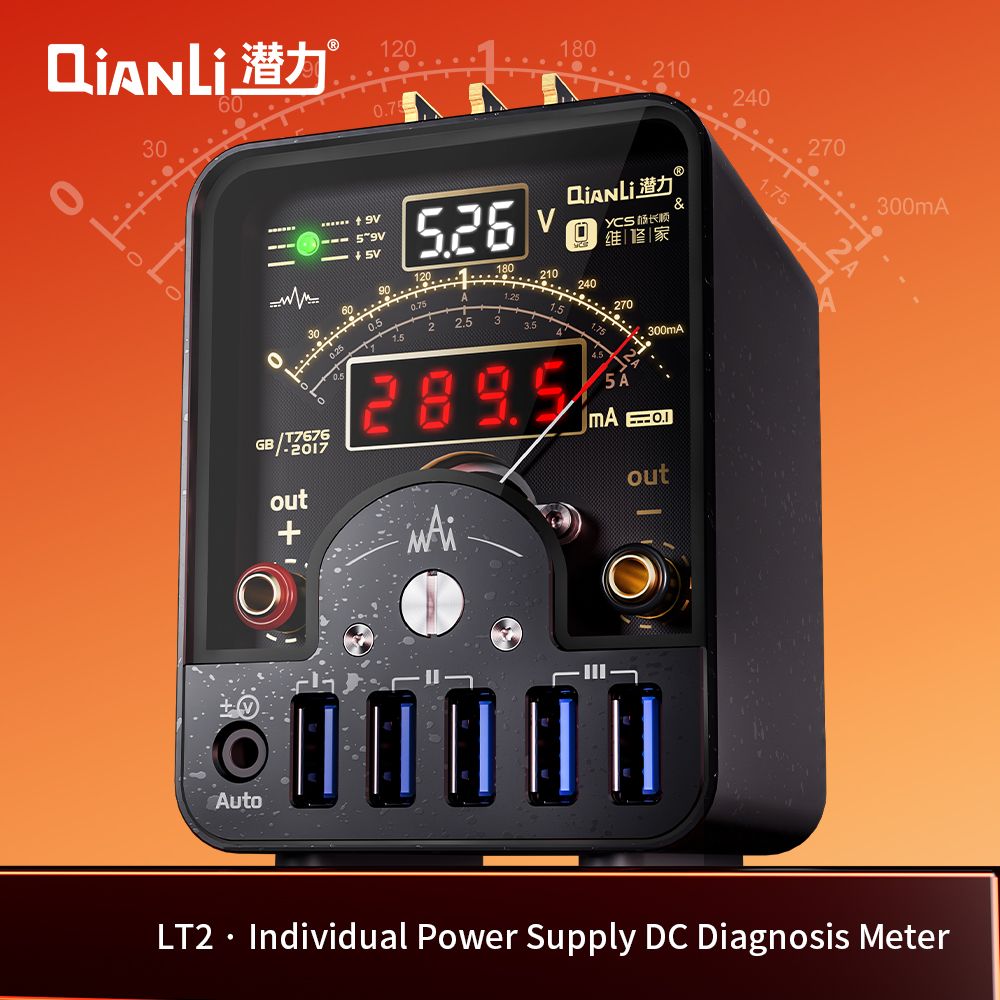
Every phone repair bench has a moment where the technician must answer one question before touching a soldering iron: what is this board actually doing electrically? The QianLi LT2 — QianLi & YCS's joint solution — answers it with three displays at once: an analog pointer ammeter for current trends, a 0-30V digital voltage readout, and a 0-10A digital current readout. This guide walks through how working technicians use it on real repairs.
Why the pointer still matters in the digital age
Digital readouts are precise, but they sample and update — the needle moves continuously. When a board boots, the current pulses in a characteristic rhythm: a spike at power-on, a climb as the CPU starts, a drop into standby. On the LT2's mechanical pointer, driven by a rare-earth neodymium magnet movement, this rhythm is visible as needle motion the instant it happens. Technicians use it to judge board condition at a glance, the same way an experienced ear hears a boot loop before seeing one.
The LT2 covers three pointer ranges — 0-300mA, 0-2A, and 0-5A — plus an AUTO gear that switches automatically. Most phone board work lives in the 0-300mA range, where small differences in standby current are easiest to see.
Step 1: Set the voltage and read the indicators before connecting
Before any board touches the output terminals, set the supply voltage and check the voltage-range indicator lights on the front panel: below 5V the lamp stays steady, 5-9V it flashes slowly, and above 9V it flashes fast. This thirty-second habit is what the voltage indicators are for — confirming the supply state before connecting, so a wrong-voltage mistake never reaches the board. It is the cheapest insurance on the bench.
Step 2: Read the boot current curve
Connect the board through the banana output terminals (dual banana-head cable is included) and press power. Watch the needle:
- Healthy boot: a sharp spike at power-on, a steady climb as the CPU initializes, then a settle into low standby current — a smooth, complete arc of needle motion.
- Boot loop: the needle climbs partway, snaps back, and repeats. The LT2's 1000 samples-per-second sampling keeps the curve responsive enough to catch each cycle.
- Short / hard short: the needle slams to the top of the range instantly and stays. Stop powering the board and switch to a short-killer workflow.
- Leakage: standby current that sits visibly higher than the board's normal sleep level. Compare against a known-good board if you have one.
While the pointer shows the trend, the digital current readout gives the exact number to log — useful when documenting a repair or comparing a reworked board against its original reading.
Step 3: Use the USB outputs as a second channel
The five USB output ports on the lower panel, driven by the top expansion card slots (3 slots map to the 5 ports, plug in a card and the ports go live), power accessories while the main terminals stay on the board under test. A common bench arrangement: board on the banana terminals, a test peripheral on USB, both currents visible on one meter.
Step 4: Keep the needle honest — two-knob calibration
Mechanical movements drift with temperature and humidity; that is physics, not a defect. The LT2 builds the correction in: the front physical knob resets the needle to zero in a second, and the back electronic CAL knob adjusts scale accuracy. Zero it before each session and the pointer stays trustworthy for years. The compact 92 × 68 × 90 mm body also has a 1/4-inch threaded hole, so it can hang on a desk clamp or wall bracket instead of consuming bench space.
| Task | What to use | What to watch |
|---|---|---|
| Boot current diagnosis | Pointer meter, 0-300mA or AUTO | Needle arc shape and rhythm |
| Leakage detection | Pointer + digital current | Standby level vs. known-good board |
| Voltage confirmation | Voltage indicators + 30V display | Lamp state before connecting |
| Accessory power | 5 USB output ports | Digital current readout |
| Long-term accuracy | Front zero knob + back CAL knob | Needle at rest = zero |
LT2 quick reference for bench use
How it fits next to a waveform meter
The LT2 does not replace a waveform tool — the BZ-CW01 captures signal waveforms, and the iBridge A3 does deep tail-plug analysis. The LT2's job is upstream of both: the fast first judgment of whether a board is worth opening at all. A three-meter bench — pointer meter, waveform meter, tester — covers the full diagnostic chain from first power-on to final verification.
Q: What is the QianLi LT2 used for in phone repair?
It is a bench power supply meter for board-level diagnosis: the mechanical pointer ammeter shows boot current trends in real time, the 30V digital display confirms supply voltage, and the 10A digital readout logs exact current. Typical uses are boot-loop diagnosis, leakage detection, and verifying a repair after rework.
Q: Which pointer range should I use for phone boards?
Start in 0-300mA. Phone motherboard currents during boot and standby fall in this range, where needle movement is most readable. Use 0-2A or 0-5A for boards with higher draw, or leave it in AUTO and let the meter pick.
Q: Does the LT2 power the board and measure at the same time?
Yes. The banana output terminals deliver the supply voltage while all three displays read live, and the five USB ports power accessories through the expansion card slots concurrently.
Q: How often should I calibrate the pointer?
Zero it with the front knob before each work session. If readings drift with the seasons, use the back electronic CAL knob to restore scale accuracy — the whole routine takes under a minute.
Q: What does the voltage indicator flashing mean?
Below 5V the lamp stays on steadily, 5-9V flashes slowly, above 9V it flashes fast. Check it before connecting a board so the supply voltage always matches what the board expects.
Q: Can the LT2 be mounted off the workbench?
Yes — a 1/4-inch threaded hole accepts standard desk clamps and wall-mount brackets, and at 92 × 68 × 90 mm and 320 g it is light enough for either.
Add the LT2 to your diagnostic bench
Wholesale inquiries for the QianLi LT2 individual power supply DC diagnosis meter — and the full QianLi & YCS diagnostic lineup — are handled directly by our team. Reach us on WhatsApp at +8613631262479 or email isocket@qianli.cn.
Tools Mentioned in This Guide
LT2 Diagnosis Meter
QianLi & YCS LT2 individual power supply DC diagnosis meter: triple-display repair bench meter with a mechanical pointer ammeter, 30V digital voltage and 10A digital current readouts, 1000 samples-per-second real-time current curve, and five USB output ports for phone repair diagnostics.
View Details →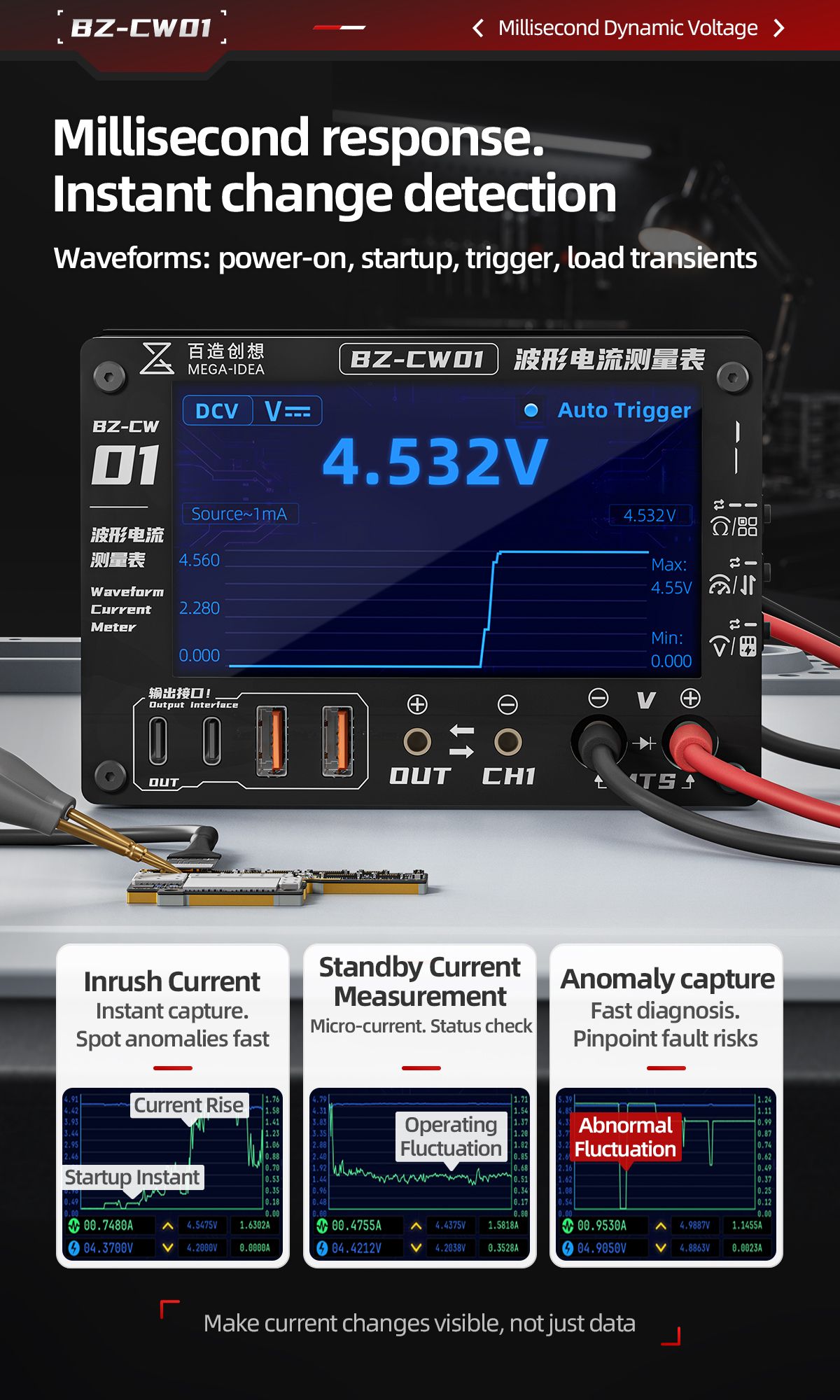
Mega Idea BZ-CW01 Waveform Current Meter
The Mega Idea BZ-CW01 Waveform Current Meter is a QianLi Tools new arrival that turns invisible current changes into visible waveforms. Its 4.3-inch color display captures real-time current curves, inrush peaks, standby micro-fluctuations, and load transients — making it the next diagnostic upgrade for phone motherboard and precision electronics repair.
View Details →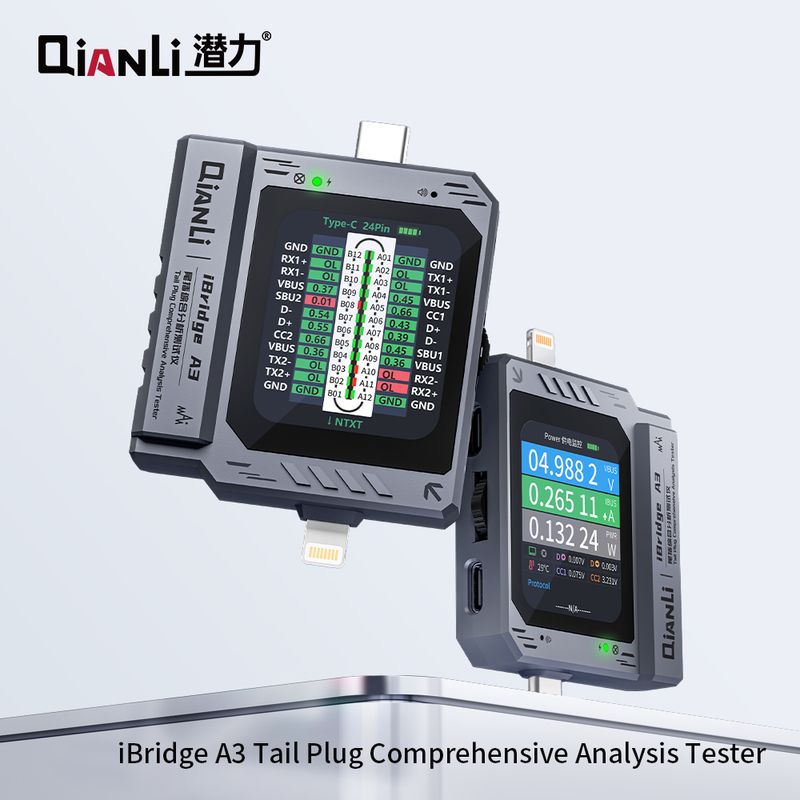
QianLi iBridge A3 Tester
The QianLi iBridge A3 is a compact tail plug tester that verifies charging, data, and audio functions with clear LED indicators. Use it after repair or before purchase to confirm USB-C and Lightning connectors work - fast diagnosis, no guesswork.
View Details →